Unlock AI‑Powered Note‑Taking: Transforming Classroom Learning with Notability

 Apple Podcasts
 Spotify
 Castro
 RSS Feed
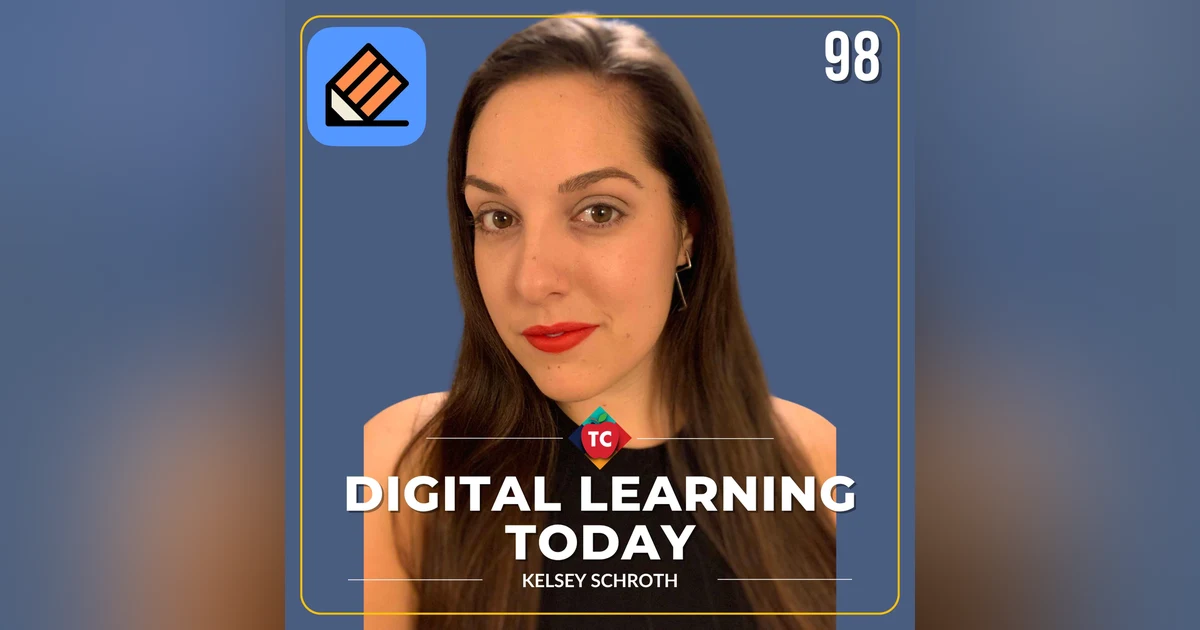
 Welcome to Digital Learning Today. In this episode, Jeff Bradbury explores the strategic systems that shape the future of education, focusing on Instructional Coaching, Artificial Intelligence, Professional Learning, and the latest Educational Technology Trends. In this episode, Kelsey Schroth, product director at Notability, discusses how AI and digital tools are transforming classroom learning, emphasizing the importance of handwriting, organization, and active engagement for students.
Become a High-Impact Leader:
This episode is just the beginning. To get the complete blueprint for designing and implementing high-impact systems in your district, get your copy of my book, "Impact Standards."- Strategic Vision for Digital Learning:Learn how to create a district-wide vision that aligns digital learning with your educational goals, transforming how standards-based instruction is designed and supported.
- Curriculum Design and Implementation:Discover practical strategies for integrating digital learning into existing curricula, creating vertical alignment of skills, and mapping digital learning across grade levels.
- Effective Instructional Coaching:Master the art of coaching people rather than technology, building relationships that drive success, and measuring impact through student engagement rather than just technology usage.
Purchase your copy of “Impact Standards” on Amazon today!
In This Episode …
- The evolution of Notability from iPad to cross-platform use
- How AI is integrated into classroom workflows
- The importance of handwriting for memory and learning
- Strategies for organizing digital notes and searchability
- The future of AI as a study partner and learning aid
- Balancing digital tools with tactile learning
- Supporting students in transitioning from notes to understanding
- The significance of handwriting in early education and critical thinking
- Best practices for technology use policies in schools
- The potential of AI to personalize and differentiate learning
Chapters:
- 00:00 Introduction to Handwriting in the Digital Age
- 00:29 The Role of Technology in Education
- 00:54 Introduction to Notability and Its Impact on Education
- 02:12 Notability Across Devices
- 03:21 Classroom Capture and Audio Tools
- 03:59 The Role of AI in Education
- 06:43 The Importance of Handwriting in Learning
- 09:53 Engaging Students with Their Notes
- 12:02 From Note-Taking to Understanding
- 13:05 Organizing and Searching Notes Effectively
- 15:50 Success Stories and Future of Notability
- 17:36 Organizing Notes for Success
- 19:06 Addressing Concerns About Technology in Classrooms
- 21:46 Classroom Device Guardrails
- 23:29 The Future of AI and Original Thought
About our Guest: Kelsey Schroth
Kelsey Schroth is Product Director at Notability, the note-taking and productivity app used by students, teachers, and professionals across iPad, iPhone, Mac, Android, and web. For more than four years, she has led product strategy for Notability's Core note-taking features, its Education vertical, and its AI-powered Learning features — helping students turn handwritten notes, audio, and imported files into tools they can actually study from and teachers get more out of digital learning. She's driven by Notability's broader mission of building a tool people reach for well beyond a single semester: something closer to an indispensable thinking and organizing partner than just another note-taking app. Before Notability, Kelsey spent several years at Tinybeans, the digital parenting platform, helping parents stay connected to their families and find community through their children’s early development. Earlier in her career, she worked in support and growth at Zearn Math, an EdTech nonprofit — an early foothold in education product work she's carried through to Notability. Kelsey studied Theater Arts at New York University, and she credits her stage background with much of how she approaches product work today — a storyteller's instinct for framing a problem, and a performer's comfort with public speaking and rallying a room around a shared vision.About Ginger Labs & Notability
Ginger Labs is a leading productivity app developer known for its best-selling app, Notability. Launched in 2010 with the first release of iPad, Notability provides students and working professionals with innovative digital note-taking, productivity, and study features. The application has been the most popular productivity software on the App Store since 2013.Links of Interest
- Website:https://notability.com/
Let’s Work Together
- Contact Me Today:https://www.teachercast.net/contact
Follow on Social Media
- LinkedIn:https://www.teachercast.net/linkedin
- Twitter/X:https://www.teachercast.net/twitter
- BlueSky:https://bsky.app/profile/jeffreybradbury.bsky.social
- YouTube:http://teachercast.net/youtube
Subscribe to This Podcast
- Apple Podcasts:https://podcasts.apple.com/us/podcast/digital-learning-today/id546631310
- Spotify:https://open.spotify.com/show/0n6S0WcyzQ1rpKWJ8iZPLJ?si=a1227a7c5e0b48e4
Check Out Additional TeacherCast Programming
- Digital Learning Today:https://podcasts.apple.com/us/podcast/digital-learning-today/id546631310
- Ask the Tech Coach:https://podcasts.apple.com/us/podcast/ask-the-tech-coach/id1067586243
- The Jeff Bradbury Showhttps://podcasts.apple.com/us/podcast/the-jeff-bradbury-show/id519685828
Book Jeff for your Next Event
Jeff Bradbury (ISTE “20 to Watch” Award Winner and ISTE Certified Educator) is available for keynote speaking, workshop facilitation, and live event broadcasting. With expertise in educational technology and professional development, Jeff brings engaging content and practical strategies to conferences and professional learning events.- Visit Jeff’s Website:https://jeffreybradbury.com
- Contact Jeff Directly:https://jeffreybradbury.com/contact/
~ ~ ~ ~ ~ ~ ~ ~ ~ ~ ~ ~ ~ ~ ~ ~ ~ ~ ~ ~ ~ ~ ~ ~ [gravityform id="2" title="true"]
Jeffrey Bradbury (00:00)
Hello, everybody, and welcome to the Teacher Cast Educational Network. My name is Jeff Bradbury. Thank you so much for joining us today and making Teacher Cast your home for professional development. On today's episode of Digital Learning Today, we're going to talk about handwriting. Yes, handwriting, but not just any handwriting, handwriting on your tablets, on your notebooks, all infused with artificial intelligence in a way that's going to support active learning. If you are one of those people out there saying, should our students be having devices?
Or should we be limiting the devices in the classroom? You are not gonna wanna miss this episode here. So stick around. And if this is the first time you're checking out our show, thank you guys for being here today. You can find out more information over at teachercast that net slash podcast. You can find us over on Apple Podcast, Spotify, and all of our videos are gonna be archived over on our YouTube channel. So stick around for this episode. I'm so glad that you're here today.
Jeffrey Bradbury (00:54)
My guest today is a product director at Notability, a note-taking and productivity app used by students, teachers, and professionals on both your iPad, iPhone, Mac, Android web. I have been in love with this application for many years, and I am thrilled to have on today Miss Kelsey Shroth. Kelsey, how are you today? Welcome to Teacher Cast.
Kelsey Schroth (01:12)
Thank you so much for having me, Jeff. I'm doing great. getting ready for back to school just like everybody else at this time of year.
Jeffrey Bradbury (01:18)
Just like everybody else, by the time you're listening to this, I'm sure that teachers are out there, are in their classrooms right now working with students. I gotta ask you up front, how is notability helping teachers prepare for back to school?
Kelsey Schroth (01:32)
we talk to teachers all day, all year long about what they need in the classroom and how those needs evolve over time with technology. I think the big thing we're seeing this year is how teachers are planning to use AI in the classroom and how their students are planning to use AI in the classroom, and where is the best place for AI to fit in their workflows and where are they still keeping things more manual and more old school to make sure that students are actually actively participating in the classroom and in their lessons.
Jeffrey Bradbury (02:02)
Now, many people know Notability as an iPad app that you use your pen or pencil on, but it is so much more, which is why I'm thrilled that you're here today.
For those who aren't familiar with the product, what is Notability?
Kelsey Schroth (02:15)
it's a note-taking
platform, you said started on the iPad. We came out when the first Apple Pencil was created, but we've evolved over time as students and teachers have evolved too. We're now available cross platform, so you can use it with your Windows device, you can use it on a web app, you can use it on Android tablets with your S Pens, and any kind of device you need in the classroom, notability works on it. And we help students and teachers and professionals alike. So for teachers,
We have things like presentation mode where you can have a note on one screen and you can share a different view of that for your students in the classroom. We have tools like a laser pen that you can use to show students like where in the note you need to be, but not actually make notes on there. and we have lots of different tools to help whatever subject you're teaching and whatever students need to learn.
Jeffrey Bradbury (03:03)
Now, I look at the history of the iPad, if we can just take that for a second. There's been many major milestones in the product development. I think the first one was, of course, in generation two when the camera came on, but the second one had to be when they gave you that pen capability.
What does that mean for teachers and students? What have you been able to see teachers and students doing using notability in the classroom?
Kelsey Schroth (03:31)
Well, you mentioned
the camera and that's a really powerful one for us because it allows students in the moment to capture worksheets that are being passed out on their desk. So you can scan it in real time with the camera and import it so that you have it digitally available and you never lose it in the bottom of a backpack. and we also pair with audio recording. So if you're a teacher who allows recording in the classroom, then students can record what you're saying and they can play it back in real time to the notes that they take.
So they can re-hear what you're saying or practice your pronunciation or make sure they took down an important date for a test in real time with their own handwriting. So you can watch your handwriting playback and listen to the recording of what was said at that time. So those are two really powerful functionalities of how students and teachers use notability in the classroom with those iPad features. And I think where we're going next is investigating.
some of the Apple intelligence features that Apple is developing constantly and how we compare with Siri to help you get reminders about important tests and notifications about due dates for for worksheets or homework that's due coming up. and just new ways of helping your notes work more powerfully for you.
Jeffrey Bradbury (04:44)
I'm excited that you mentioned Apple Intelligence. It's something that I've been playing with on my own devices here. Where do you see AI when it comes to your own applications? And then where do you see AI fundamentally in the classroom supporting teachers and students?
Kelsey Schroth (05:02)
I I love that question. We think about it constantly. I think the big thing is that AI is no longer just a novelty. It's really part of the normalcy. Every student is going to be using it at some point in their school work in the next coming school year. I think the more interesting thing there is not how students are using it, but like where they're choosing to use it. Only 13% of students we surveyed recently said they want notes taken by AI.
The truth is they still want to take the notes themselves. What they really want is AI to help them study and retain and and to review that information more. So looking at half of the students saying they want help organizing their notes, or 78% saying they want help studying it. So we're using things like Siri A Siri AI to create flashcard decks for you. So you can review important information that was said in a classroom.
or looking at chat across all of your notes so that if you can't remember what note specifically had a key fact or an important date, you can just ask notability and we'll find that information for you. So it's not AI doing the work for that student. It's just helping them to use their notes smarter and better.
Jeffrey Bradbury (06:16)
It really is that concept that AI does not always mean what we think it means. We think it means the Apple intelligence, we think it means the chat GPTs, all that stuff. But I mean simple things like background removal, or as you said, you're gonna scan in a piece of paper and something happens. That is AI in the background working. That is not students using AI to get an advantage, right? There's so many different ways that we can look at the term AI.
Kelsey Schroth (06:43)
I think that's right. the healthiest version of this is where we see students saying they want to learn from the material directly. They want to actively take the notes themselves. But when they're trying to genuinely understand a hard concept, that's where you can lean on AI. So it's it's not doing the thinking for you, it's helping you process it and maybe phrase it in a different way or helping you review the concepts that you've missed at like the right time. but it's really more like a study partner.
or like a a second brain, it's not doing the work for you what you have to still do actively do the work yourself.
Jeffrey Bradbury (07:19)
One of the things that I love about the platform is that it still in many aspects requires students to keep that handwriting, that tactile that I'm gonna write and when I'm writing something, I'm gonna remember something. And whether they're writing on a piece of paper and scanning it in or writing on their device and manipulating it somehow or adding pictures, audio, video, whatever.
They still have that ability to use their pen. They still have that ability to go from their hand into their brain and really be creative with everything. There's times where I like to type with my iPad, and then there's times where I take out that pencil and I'm writing a note. Often I'm got the recorder going at the same time, but at least you're still physically needing to say, I'm gonna write this down, I'm gonna think about the words, I'm gonna think about the spelling.
Why is it important that in these days where we do have AI and all the different tools available, handwriting is still fundamental to everybody?
Kelsey Schroth (08:20)
I think you touched on it a little bit, but it's that tactile moment of of when you're actually taking physical notes, that's when you're going to be doing the best learning possible. Because your brain is connecting the creation of those letters to the the movement of making it. And that sense motory function is what helps your brain actually connect what you're hearing to what the concept actually is. So that's where the learning is is really taking place. think about
your own handwriting. You can picture how you slant your letters or how you loop your L's or curl your Y's, for example. That even being able to picture in your brain what that looks like in your own way is going to help you remember key concepts, but also remembering them in your own voice and in your own language. And that's going to be really key in an age where we're fighting against AI kind of doing the work for us. And especially kids in early education
Where they need to find their own voice and really learn how to think for themselves. handwriting still plays just such a key part in that. And actually, there's more and more studies coming out and surveys that teachers are going back to the digital stone age of make making like blue books coming back into the classroom so that you can really force and make sure that students are writing it for themselves in their own words and not using AI to be a thought generator.
so I think that's where handwriting will become even more important going forward than it has been in the last couple of years.
Jeffrey Bradbury (09:53)
Been
having fun recently partnering with my AI assistants. as I mentioned earlier, whenever I have a meeting, I always have it on, I always have it listening, I always have it transcribing, but I'm still typing things. And then what I find is when the AI is actually making the summary for me, it's pulling my work and doing the summary based off of that. So I'm actually being the helper for the AI, who's then being the helper for me.
And and I would imagine the same thing is is right on the platform here of if I'm taking audio, if I'm bringing in video, if I'm bringing in my handwriting, it just makes the learning experience richer for both teachers and students.
Kelsey Schroth (10:36)
I think what's interesting there is that handwriting is still better for concept learning than typing. actually seventy-eight percent of students we surveyed in high school and college say that they prefer handwriting to typing for learning key information. So that's maybe Gen Z that you assume has moved past pen and paper, like still reporting they want handwriting. and it's because it it's found to be a better way to learn than typing itself. But
I think the key there is it doesn't need to necessarily be one or the other. You can still have a device like an iPad or your computer where you can combine handwriting and typing and audio recording to get the best of AI. So students can take notes however they need to, to their best ability to learn, and AI needs to meet them where they're at. So being able to capture information in multiple different forms with multiple different formats, I think is the most important thing that
my company notability that we can do to better students in the classroom. And AI can then be their study partner, like you said. It can compare what you hand wrote to the transcript, help you see if you got key information wrong in your own digital notes, or it can make a quiz for you. So if a teacher emphasizes information that they care about more than what the textbook might say in like a practice test, we can differentiate that and really make sure we're pulling out the key concepts that matter in the moment in the classroom for that teacher.
For students later when they're reviewing their notes.
Jeffrey Bradbury (12:02)
I find a lot of students, especially in middle school, have a difficulty comparing the fact of I wrote this and I learned this. And on recent podcasts here, we've talked about knowledge versus learning versus comprehending, all those different buzzwords that we use in education here. How is a platform like Notability, or even us as teachers, how can we support our kids going from just, I'm gonna write it down, I'm gonna type it, I'm gonna handwrite it.
How do we transfer that into actual knowledge, into actual understanding of the concepts?
Kelsey Schroth (12:37)
I love that
question. because it's very easy to capture information like typing or transcripts. Just that's so easy these days to just spit out like here's the actual information. How you were making sure that kids are learning that, I think, is where live teachers in the moment in the classroom make the biggest difference. And having that conversation with a student in the moment, testing them without a screen in front of them, really asking them to engage live,
to see if they understand a concept, but nothing can really beat that live moment in the classroom. So I think there's a lot of responsibility on teachers' shoulders to make sure that kids are actively engaged in the classroom and being able to phrase things and repeat information back in their own words. And then I think there's actually a lot to be gained too from joy and fun. We practice a lot with quizzes or flashcards, but like adding in delightful animations or adding in like success things.
adding in like little moments of delight of games that makes learning really fun so that concepts don't just feel really overwhelming and like it's a lot of information that you have to take in, but finding moments where kids can actually just be kids and feel some joy in their learning, I think can bring a lot to the experience.
Jeffrey Bradbury (13:54)
As a middle school teacher, I often look at my kids, and you know, we use the term chicken scratch, right? Like it's this, let's just put this stuff down. And then you ask, Did did you did you look at it? Did you go back? Did you, you know, you I see you taking notes, but are you actually learning from them? How can we support our students, both in the classroom and out of the classroom, to not only do the act of taking the notes, but then regurgitating them? How do we get them to speak?
To to take in the stuff that they've had, whether it be digital or or written, and and and share that with us. Right.
Kelsey Schroth (14:26)
Yeah. That's that's the question. Yeah,
that's the million dollar question. We think about it a lot because just taking the note but never reopening it doesn't do a kid any good. so we're trying a couple of different tactics at notability, like notifications or moments of joy to come back, saying we've generated a quiz for you or we've we've created a daily question for you. Being able to engage with notes or the concepts inside of a note without having to actually open a note, I think is some of the
the tactics we're trying now. The idea that that note of chicken scratch can be overwhelming if it feels like there's too much in there and just like the avoidance of it is something that we combat. And then we're also looking at trying to find ways to make your notes more beautiful or more joyful to come back to. So helping you beautify your notes or add stickers for personality, I think there's a lot there that we try to do. But for teachers in the classroom, trying to make sure that students go back and engage with their notes, I think is
some of the tactics I know two of my best friends are middle school teachers. They teach Latin in the city and it they try to hide like little games or jokes inside of some of their materials. So it'll be a joke or a quiz question or like a question of the day where they'll have to go back and answer tomorrow to see if they got it right. So there's like tips and tricks I think for students to to like get to be re engaged. I think a lot of it comes with personality.
And a lot of it comes with the those the joyful moments that only teachers in the classroom can really deliver themselves.
Jeffrey Bradbury (15:56)
I think for many students, the bell rings and that's the end of the day. But
Kelsey Schroth (15:59)
Mm-hmm.
Jeffrey Bradbury (16:00)
one of the things that I've noticed when working with applications that provide a digital experience, it's the search. It's the coming back
Kelsey Schroth (16:10)
Mm.
Jeffrey Bradbury (16:10)
to it tomorrow, the next week, or six months down when you're cramming for a test. I try as a middle school teacher to teach my kids the the the the the the
The reasons why search is important, whether that be a Google search, an email search, a docs search, or in your case here with notability, searching through those notes. How do you go through the process of teaching students to keep organized, get organized? In the video world, we talk about organizing your metadata, your your clips and your videos and stuff. But notes and email are just as important. If that nobody hears the tree fall, it didn't fall.
If you have a note that you can't find, it's no longer around. I love using applications like Notability because tomorrow I can go back and change it and look at it and listen to it and hear it and make it richer again with more activities. But talk to us a little bit about search. Why is it important for an application like Notability to get search right? And how do we support that in the classroom?
Kelsey Schroth (17:14)
I think the risk
is abandonment. If a if a student can't find or a teacher can't find the exact thing that they need in the moment, the friction is so high. and really the stakes can be so high in those moments of just feeling overwhelmed or unprepared. and it's it's really our job to make sure that we're enabling you to feel confident in your studies and in your teaching.
So the first thing we tell students getting ready for the school year is pick one place.
For all of your materials and keep them there. Don't have one place for audio recordings and one place for flashcards and another place for your syllabus. Pick one place, import everything into that one place so that you're set up for success. That way you'll never lose anything. You can have backups, but as long as you don't have that moment where you're not sure where to go, you know always know exactly where to go to be successful. That is step number one to being set up for success.
The second is make a subject or make a folder for every single class of the semester so you know exactly where to go. Everything is labeled, everything is tagged, so that on Tuesdays when you go to math, you know exactly what folder all of your previous studies are in and where the future ones will go to. so organizing by subject on day one is really important. And then when it comes to search, that sets you up for success.
To know exactly where you have to go to for that folder for some of the information you're finding. You can narrow and filter down your search to say, I only want notes created in the last 30 days inside of this subject or from this teacher. So that way you're able to refine your search to find what you're looking for as quickly as possible. And notability, what's great is we can search not only your written words, but we also index all of your PDFs. So anything digitally scanned or uploaded can be searched.
We search all of your voice recordings. We transcribe them. So we can pull in something a teacher said even if you never wrote it down or it's not in text. And we can also search your handwriting. We index that and it doesn't matter how ugly your chicken scratches, we can go back and find exactly what you wrote for your search parameters. So that way you have the freedom to express yourself however you need to, however you learn best, and we'll do the rest of the work for you.
Jeffrey Bradbury (19:32)
Talk us a little bit about some of the success stories that you're seeing. A school district has iPads, Chromebooks, whatever they happen to have. What are some of the things that you've noticed that are happening in the schools and in the classrooms that really have made a difference for our students?
Kelsey Schroth (19:47)
I think the big thing is that students have screens. They're not going anywhere. They're like we need to be able to empower them to teach digitally. And then it's giving them the right tools to do so. But what we find is that when students are empowered in the classroom, not just with a screen, but also with a pencil, that moment of choosing in the moment what to write down or not is critical thinking skills that you just can't replace with just typing or just passing out transcripts. So in the classroom,
When there are pencils in the room or there's handwriting taking place, we find that those students learn concepts better and retain information better than those that are just typing or just relying on transcripts. So that's huge. I also think as AI is increasingly more of a concern in terms of that critical thinking and in terms of original thought, and teachers are returning to, like I said, the more Stone Age era of pen and paper.
Having students learn as early as possible how to handwrite and express themselves through handwriting is only going to help them and with the coming changes and trends in teaching in the classroom. But additionally, when we are introducing new functionality like quizzes and flashcards, multiple choice tests, importing a test and helping you learn what you got wrong and why, and finding where in your notes we can point you to the right information, it's making sure that students are not afraid.
of AI and technology in the classroom or that feeling of over realm, it's we're finding that we're getting more stories of success that students feel are more likely to go back and engage with their notes when they know how to use them to study and review effectively.
Jeffrey Bradbury (21:27)
What do you say to the parents and the school districts that are looking to take devices away?
Kelsey Schroth (21:34)
I understand the fear. I do. I think there's concern that students are not spending their time in the classroom engaged with the students around them or engaged with the teacher.
So I think it's important that it's dictated how students are you allowed to use technology in the classroom and that they're set up correctly on the right MDM so that they can access the internet or they're not spending time on YouTube.
And then I think it's also important for teachers to set the boundaries in the classroom of what they do or do not allow. Like I said, I have two friends that they don't allow voice recording in the classroom because they're afraid that their students are are going to pass that information on and the next batch of students might not be as engaged. So I understand setting clear rules and boundaries for how technology can be used in the classroom, I think is important. But I'd say these kids have been raised on technology in a way that you and I maybe, maybe
Or not. so I think that the answer isn't taking away screens or taking away devices. I think it's setting safe guard lines and guardrails for how they should be using it and then holding them accountable in that room.
Jeffrey Bradbury (22:42)
Talking today to Kelsey Shroth, all about the great things about notability and also the importance of getting your students to be tactile and active with the way that they're learning and using handwriting. And where can listeners go to learn more about the great stuff that's happening in the world of notability?
Kelsey Schroth (22:58)
Thank you so much, Jeff, for having me. It's been a pleasure. they can go to the App Store or the Google Play Store and search Notability, or you can find us and create your first note at notability.com.
Jeffrey Bradbury (23:09)
I'm curious as one last question here. What is the future of this technology? In one respect, 10 years ago, we had a tablet, we had a pen, and we did that kind of an activity. And here, obviously, you're adding so much more multimedia, you're adding the AI, but you're still student device and their own written thoughts.
Where do you see the technology going in the next five to 10 years?
Kelsey Schroth (23:34)
Mm-hmm. It's a great question. AI is the dumbest it will ever be today. It will only get better from here. I think where we're best suited is using AI to be the second step in the process to help us review material, to help us quiz on concepts, to help us challenge our thoughts and to be a sparring partner.
I think AI is only going to get better at that. But what it cannot do is replace original thought and it can't replace the individual voice. I think that will still always be a shortfall that it can only parrot back exactly what's already on the internet. So what we need from teachers and young students today is for them to find voices that don't look and sound like something that's already been fed into AI.
and to really be the generation of new thought and new ways of thinking and speech. that won't be just something that can be parroted back by AI, but something that will inform us and shape where we go next.
Jeffrey Bradbury (24:42)
Kelsey, thank you so much. I hope this is part one of a fantastic conversation. Would love to have you and your teammates come on and continue this because this concept of bringing artificial intelligence and handwriting and student thought and turning it into a creative masterpiece that is searchable, I think is a conversation that we need to be having more often. I'm saying that as a middle school student, middle school teacher, but I'm also saying that as a middle school parent as well. And thank you for coming on today and sharing a little bit about what Notability is doing.
And what we can expect in the future for a tech.
Kelsey Schroth (25:15)
Jeff, thank you so much for having me. I look forward to hearing what the rest of your guests say and keeping up with how your kids and other kids like yours are learning in middle school and building more for them and helping them be even better.
Jeffrey Bradbury (25:28)
If anything in this episode caught a nerve for you, please head on over to our YouTube channel. You can leave a comment over on our channel. You can, of course, find out more prog programs over at teachercast.net slash podcast. And again, we want to say thank you to Kelsey and the entire notic notability team for coming on the show today and sharing.
And that wraps up this episode of digital learning today on behalf of Kelsey and everybody here on Teacher Cast. My name is Jeff Bradbury, reminding you guys to keep up the great work in your classrooms and continue sharing your passions with your students.